Flux is an application architecture designed by Facebook. Unlike MVC and MVVM, Flux governs data to flow in a single direction. It makes data more predictable, and make bugs easier to trackdown. In this article, I will show my attempt to implement Flux in Swift—with iOS Todo app.
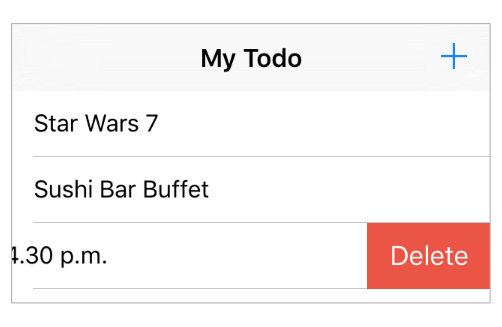
The full source code can be found at nRewik/Flux-in-Swift-Example
The big picture

The heart of Flux is the one-way route, called a uni-directional data flow, which is illustrated by the arrows pointing forward in a single direction.
Unlike MV* patterns that components can talk back and forth, Flux’s components can only talk forward. They only talk to someone they trust, for example, stores only talk to views.
Talking to everyone without getting feedback, means you are talking to no one. Flux’s components listen for feedback events after talking. They again only listen to someone they trust, for example, stores only listen to the dispatcher.
In summary, We can think of Flux as pub/sub services!
Components
Action, Dispatcher, Store and View—are the four main components in Flux. Their roles can be summarised as follows:
Action
- simple object containing the new data and an identifying type property.
Store
- stores and manages application states.
- listens to the dispatcher, recieve all actions sent from the dispatcher.
- performs some actions.
- emits an event when states are changed.
Dispatcher
- the workload distribution centre.
- dispatches all works to all stores.
View
- renders UI from store’s state.
- listens to stores. Whenever stores emit an event, views will update UI corresponding to the new store’s states.
- emits and propagates actions through the dispatcher.
Begin with Store
Store manages the application state and logic. They are akin to models in MVC, but stores manage more than a single piece of data. Stores are singleton classes. They are self-contained universes, completely in control of their data and behaviour. Each store is a single source of truth in its domain.
manages application states
In this app, TodoStore manages everything about TodoItem. It knows how to store, create, delete and edit todo items.
struct TodoItem{
    let id = NSUUID().UUIDString
    var text = "hello world!"
}

class TodoStore{

	// Singleton
    static let defaultStore = TodoStore()
    private init(){ }

    // TodoItems List
    var todoList: [TodoItem]{ return _todoList }
    private var _todoList: [TodoItem] = []

    // Action Handler
    func addTodo(todo: TodoItem){
        _todoList += [todo]
    }
    func editTodo(id: String, text: String){ /* ... */ }
    func deleteTodo(id: String){ /* ... */ }
}
emits change events
Stores should emit an event when their states are changed. The event will be sent to listeners. This can be done with delegate pattern. We will be creating this behaviour as a Store protocol, since this is a common behaviour for every store.
protocol StoreListener: class{
    func storeDidChanged( store: Store )
}
protocol Store: class{
    var listeners : [ StoreListener ] { get set }
}

// protocol extension
extension Store{
    func registerStoreChanged( listener: StoreListener){
        guard nil == ( listeners.indexOf{ $0 === listener } ) else { return }
        listeners += [listener]
    }
    func unregisterStoreChanged( listener: StoreListener){
        guard let removedIndex = (listeners.indexOf{ $0 === listener} ) else { return }
        listeners.removeAtIndex(removedIndex)
    }
    func emitChangeEvent(){
        for listener in listeners{
            listener.storeDidChanged(self)
        }
    }
}
Then we adopt Store trait to TodoStore.
class TodoStore: Store{

    // ...

	// MARK: - Store
    var listeners: [StoreListener] = []

	// Action Handler
    func addTodo(todo: TodoItem){
        _todoList += [todo]
        emitChangeEvent() // also do this to `editTodo` and `deleteTodo`
    }
    // ...
}
Dispatcher callback
Each store has a dispatcher callback. This callback will be called from the dispatcher when someone create an action. Stores should handle some actions inside this callback, by investigating action type in Payload.
When stores are creating, they should register their callback to the dispatcher. After register a callback, we will get dispatcher token. This token is useful to identify a callback. We can use this token to unregister a callback later.
struct Payload{
    var type = "" // to identify action type
    var data: [ String : AnyObject ] = [:] // associated data
}

protocol Store: class{
	// ...
    var dispatcherToken: String { get set }
    func dispatcherCallback( payload: Payload )
}

class TodoStore: Store{

    // ...
	private init(){
        dispatcherToken = Dispatcher.register(dispatcherCallback)
    }

	// MARK: - Store
	// ...
	var dispatcherToken: String = ""
    func dispatcherCallback( payload: Payload ){

    	// investigate action type
        switch payload.type{
        case TodoAction.CREATE_TODO:
        	// extract associated data from payload
            guard let text = payload.data["text"] as? String else { return }
            let newTodo = TodoItem(text: text)
			// perform action
            addTodo(newTodo)

        case TodoAction.EDIT_TODO:
            /* ... */
        case TodoAction.DELETE_TODO:
            /* ... */
        default:
            break
        }
    }
}
Dispatcher
Dispatcher is the workload distribution centre. It sends every action to every store, by calling callback functions that registered by stores. An app should have only one dispatcher, called a single dispatcher.
class Dispatcher{

    typealias DispatcherCallback = ( Payload -> Void )

    private static var _callbacks : [ String : DispatcherCallback ] = [:]

    static func dispatch( payload: Payload ){
        for callback in _callbacks.values{
            callback(payload)
        }
    }

    static func register(callback: DispatcherCallback) -> String{
        let token = NSUUID().UUIDString
        _callbacks[token] = callback
        return token
    }

    static func unregister(token: String){
        _callbacks[token] = nil
    }

}
Action
Action can be triggered by calling Dispatcher.dispatch with payload data. Flux has helper functions called action creators. They create and send actions to the dispatcher with convenient and semantic API.
class TodoAction{

    // MARK: - Action Type
    static let CREATE_TODO = "CREATE_TODO"
    static let EDIT_TODO = "EDIT_TODO"
    static let DELETE_TODO = "DELETE_TODO"

    // MARK: - Action Creator
    static func create(text: String){
        let payload = Payload(type: TodoAction.CREATE_TODO, data: [ "text" : text ] )
        Dispatcher.dispatch(payload)
    }
    static func edit(id: String, text: String){ /*...*/ }
    static func delete(id: String){ /* ... */ }
}
View
View in flux is a controller-view. It renders UI from store’s states, emit actions, listen to change event from stores.
class TodoViewController: UIViewController {

    var todoStore = TodoStore.defaultStore

    override func viewWillAppear(animated: Bool) {
        super.viewWillAppear(animated)
        todoStore.registerStoreChanged(self)
    }

    override func viewWillDisappear(animated: Bool) {
        super.viewWillDisappear(animated)
        todoStore.unregisterStoreChanged(self)
    }

    //MARK: - StoreListener
   func storeDidChanged(store: Store) {
        // refresh new data when store is updated.
        tableView.reloadData()
    }
}
User interactions might cause view to emit actions, for example, when user tap + button to create todo item.
class TodoViewController: UIViewController {

    @IBAction func addButtonTapped(sender: UIBarButtonItem) {
        TodoAction.create("My New Todo")
    }
}
Conclusion
Flux has its unfair strengths. Flux defines an explicit path of how data should flow. This of course, makes data more predictable. Tracking down bugs and maintainance would be easier with Flux. And it is a good pattern to deal with data that change over time.
I’ve never used Flux in the real iOS app. I feel that dealing with dependency between components is a bit frustating. Maybe, because the two-way communication still dominates over my brain 🙄.